


A successful design project isn't just about finding a talented designer—it's about giving them the right roadmap to unleash their talent. The foundation of this roadmap is the creative brief. A clear, concise, and comprehensive brief aligns your vision with the designer's execution, saving time, money, and countless revision rounds.
Think of the brief as your project's mission statement. It’s the single source of truth that ensures everyone is on the same page. Here’s a step-by-step guide on what to include in your brief to get the best possible results.
1. Define Your Project Goals & Objectives
Start with the "why." What do you want this design to achieve?
-
Example: "This logo should establish our brand as a modern, trustworthy player in the fintech industry and help us stand out from our more traditional competitors."
-
Avoid: "I need a new logo."
2. Know Your Target Audience
Who are you trying to reach? A design that appeals to Gen Z on TikTok will look very different from one targeting corporate executives on LinkedIn.
-
Include: Demographics (age, location), psychographics (interests, values), and their pain points.
3. Provide a Detailed Project Scope
Be specific about what you need. This manages expectations and helps the designer provide an accurate quote.
-
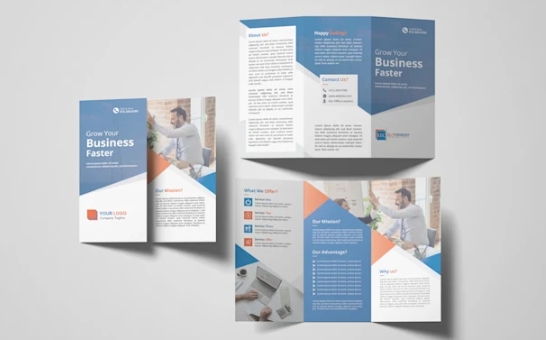
Be Specific: Don't just say "a brochure." Say "an 8-page, A5 trifold brochure for a trade show."
-
List Deliverables: Logo (in various file formats), social media banners, business cards, etc.
4. Communicate Your Brand Identity
If you have existing brand guidelines, provide them! This includes:
-
Brand Story & Voice: Is your brand playful or serious? Innovative or reliable?
-
Logo & Color Palette: Provide the exact HEX or Pantone codes.
-
Typography: Specify the fonts you use for headers and body text.
5. Share Visual Inspiration & References
A picture is worth a thousand words. Create a mood board or collect examples of designs you like (and dislike!).
-
What to Share: "I like the clean layout of [Website A] and the color scheme of [Brand B]."
-
What to Avoid: "Just copy this." Use references for inspiration, not replication.
6. Outline the Technical Specifications
This is crucial for a smooth handoff. Don't leave your designer guessing.
-
For Digital: Dimensions (e.g., 1200x630px for Facebook), file format (JPG, PNG, PDF).
-
For Print: Size, bleed, CMYK color mode, and finishing (e.g., spot UV, embossing).
7. Set a Realistic Timeline & Budget
Be transparent from the start.
-
Timeline: Include key milestones and the final deadline.
-
Budget: Providing a budget range helps the designer propose solutions that fit your financial constraints.
8. Final Checklist Before You Send
Before you hit "send," ensure your brief includes:
-
Clear Project Objective
-
Target Audience Description
-
Detailed Deliverables List
-
Brand Guidelines (if any)
-
Visual Examples/Mood Board
-
Technical Specifications
-
Timeline & Budget
By investing time in a thorough brief, you empower your designer to do their best work. It demonstrates respect for their craft and transforms the client-designer relationship from a transactional exchange into a strategic partnership. A great brief is the first step toward a great design.